Disclosure: Some links may be affiliate links. This means that I may earn a small commission if you decide to buy (at no additional cost to you)
Last Updated on September 8, 2026 by Erin Donahue
With so many wireless lavalier microphones on the market these days, choosing one can feel overwhelming. I finally bought the DJI Mic Mini during a Black Friday sale when the price dropped significantly. I wanted something compact that could improve audio without adding bulk to my travel and run-and-gun setup, so I’ve spent the past few months testing it in real shooting conditions, including chaotic environments like Times Square on New Year’s Eve.
To be honest, I’m not an early adopter unless a brand sends me something. Otherwise, I wait for deals, and getting this for less than $80 felt like a steal given DJI’s usual pricing. The discount made more sense once I realized DJI had released the Mic 3, which is a combination of the Mic 2 and Mic Mini. I don’t understand why DJI had two products essentially cannibalizing each other, because the Mic 2 was obviously superior. However, with the Mic 3 as the newest product in the lineup, it’s essentially the Mic Mini with more advanced features, but at a significantly higher price.
This isn’t going to be a full product review if that’s what you’re looking for. There are tons of videos and articles out there already, and I just don’t want to be a channel that’s all about specs. It’s pretty redundant. If you want to know about my real-world experience using the DJI Mini, though, and if they’re still relevant now that the Mic 3 is out, then keep reading!
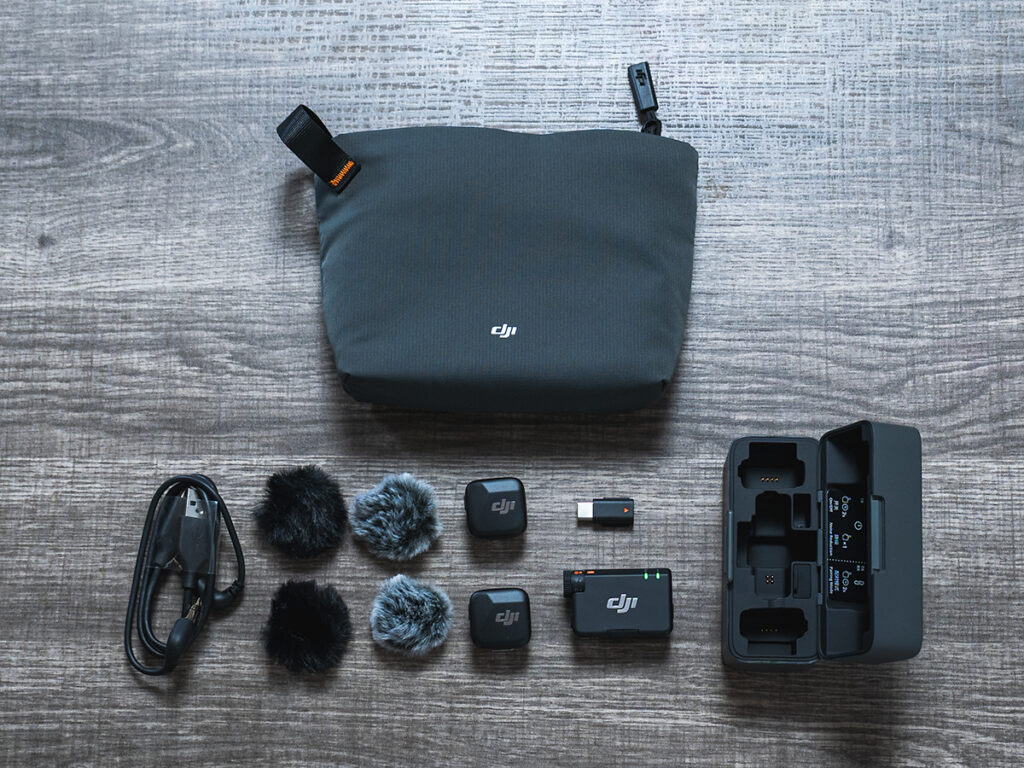
What Comes in the DJI Mic Mini Kit?
The kit itself stays simple and compact. Inside the box, you get:
- Carrying pouch
- Charging case
- 2 transmitters
- 1 receiver
- USB-C phone adapter
- Camera audio cable
- Charging cable
- 2 sets of windscreens
Everything fits neatly into the charging case, even with windscreens attached, which makes packing and storage easy. I also like that the receiver can go back into the case with the phone adapter still attached. That small design decision saves me so much time because I’m constantly putting on and taking off the receiver on my phone.
One thing to note: DJI doesn’t include a Lightning adapter, which feels odd since other brands still do. They sell it separately, which may reflect the industry shifting away from Lightning and consolidating to USB-C. Also, the phone adapter goes onto the receiver pretty tightly and can be difficult to take off, so keep track of it if it pops loose.
How Does the DJI Mic Mini Compare to Other Mini Wireless Mics?
The wireless lavalier microphone category has become fiercely competitive. For me, I look for portability and accessibility to help me narrow down the decision. I’ve previously posted about the Neewer CM28, and it still has strengths like internal recording and a 3.5mm jack for a wired lav. However, my main frustration came when recording on my phone. I noticed lag during post-processing. For whatever reason not related to lighting, the frame rate was inconsistent, which messed things up, and I had no interest in troubleshooting. I’ve noticed similar issues with the DJI Mic Mini in post, especially in lower light settings, so now I unlink the audio and video during editing and manually realign until everything matches.
The biggest pain point was realizing that the audio recorded can only be heard through a single ear. It’s especially noticeable when wearing headphones, and video editing apps like Adobe Premiere don’t have enough control to fix this. Only the desktop version can do this by adding ‘Fill Right with Left’ or vice versa. This is most likely due to recording in mono, but it’s necessary to get the crispest audio. That being said, it kind of takes away the efficiency of on-the-go editing in real time.
Can You Connect the DJI Mic Mini to Cameras or Smartphones?
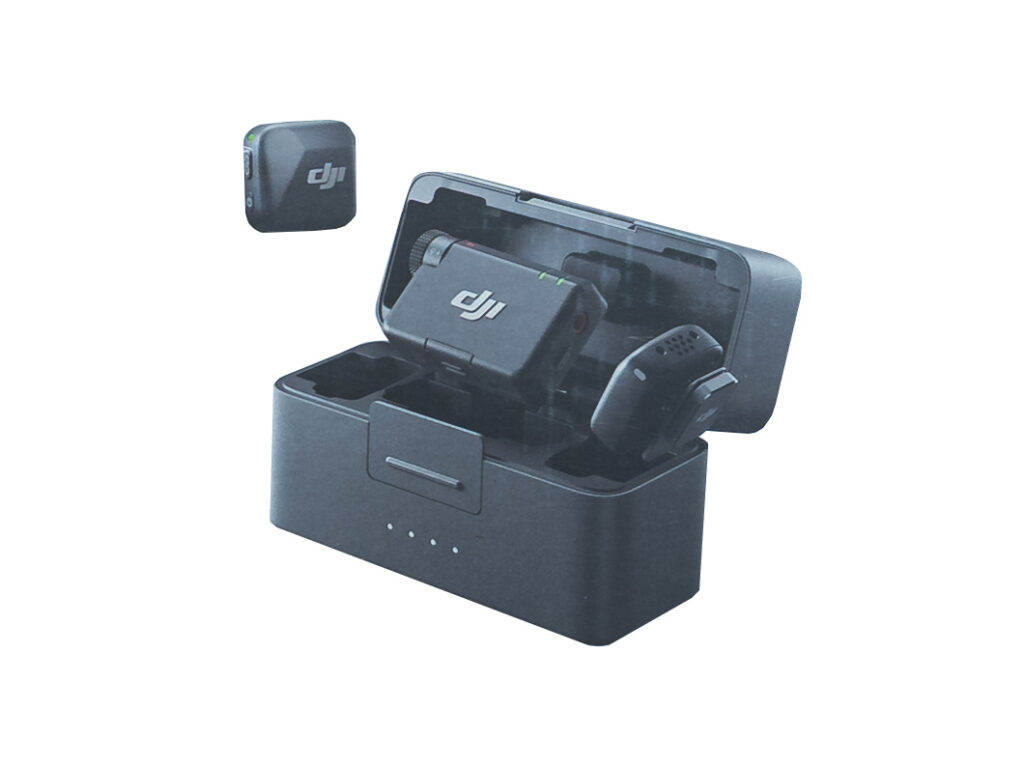
The DJI Mic Mini can connect to both smartphones and cameras. I mainly connect it when recording a talking head video on my iPhone, but I’ll also connect it with my Sony a6400, a7III, and a7IV. I noticed that a lot of people were complaining about the Bluetooth function for these, but Bluetooth compresses the audio, so I don’t know why you would want to connect that way to record your audio.
Initially, I was worried because I wasn’t sure if you could just plug this mic in and then start recording. But you can, so the setup stays straightforward. I’m very happy with the fact that I can just plug this in. Direct connection delivers better results and removes uncertainty. It gets the job done for me as a content creator on the go. However, the transmitter sometimes takes a minute or two to reconnect with the receiver, so I’ve found myself frequently popping the adapter on and off. Kind of like when we had Game Boys and had to blow on the Game Pak cartridges.
Should Creators Still Buy the DJI Mic Mini?

Frankly, I don’t like acquiring more camera gear and accessories. While my role as a content creator is to talk about the products I use as a photographer, I’m still selective about what I want to include in my everyday camera bag. Too much equipment creates clutter and shifts focus away from actually producing work. Also, it’s heavy AF! That’s also why I avoid becoming someone who talks about gear constantly. The culture around overconsumption in creative tools feels excessive.
I added this because it’s small, unobtrusive, and practical. My gear decisions tend to be about finding the right balance between cost, usability, and how it fits into your existing workflow, rather than about chasing the newest launch.
FAQs About the DJI Mic Mini
Is the DJI Mic Mini worth buying for content creators?
It can be, especially if you want a compact wireless mic that improves voice clarity at a fraction of the cost. With the launch of the DJI Mic 3, the price of the Mic Mini dropped significantly, making it an accessible option for lightweight creator setups.
Can you connect the DJI Mic Mini to a phone or camera?
Yes. I use the DJI Mic Mini with my iPhone for talking-head videos and connect it to Sony cameras, including the a6400, a7III, and a7IV. You can plug it in and start recording without a complicated setup.
What comes in the DJI Mic Mini kit?
The kit includes a carrying pouch, charging case, two transmitters, one receiver, a USB-C phone adapter, camera audio cable, charging cable, and windscreens. Everything fits neatly into the charging case.
How does the DJI Mic Mini compare to other mini wireless mics?
It stands out for portability and ease of use. I’ve experienced lag when recording on my phone with other wireless lav setups and haven’t run into that here. For my workflow, simplicity matters more than feature depth.
Should you record audio on the DJI Mic Mini using Bluetooth?
I don’t recommend it when quality matters. Bluetooth compresses audio, so I stick with a direct connection for more reliable results.

Comments +